Check your Linux stream setup before you go live.
tuxcast finds what breaks streams on Linux, like a Discord key that does nothing, a Wi-Fi link Twitch calls unstable or a Stream Deck with no app, and fixes each one with a single command.
pipx install tuxcast
Get started Try the dashboard Read the guides Source on GitHub
- Display
- PipeWire
- Encoder
- OBS
- Websocket
- Stream Deck
- udev
- Discord
- Spotify
- Sinks
- Wi-Fi
- Bitrate
- Patches
- Profiles
- Go live
tuxcast doctor's checks.tuxcast in 22 seconds
What breaks, and the command that fixes it
- “Elgato's app doesn't exist on Linux, and I have 8 pages of keys.”
tuxcast convert Streaming.streamDeckProfile- “My Discord mute key does nothing.”
tuxcast bridge discord --install- “I can't keep the music out of my VODs.”
tuxcast audio setup- “Twitch says my connection is unstable, the speed test says it's fine.”
tuxcast doctor --only network- “Play/pause on my deck doesn't reach Spotify.”
tuxcast doctor --only spotify- “My deck went dark after StreamController crashed.”
tuxcast deck reset- “Every plugin update undoes the fix I made.”
tuxcast patch install
Prefer clicking? It's a control desk
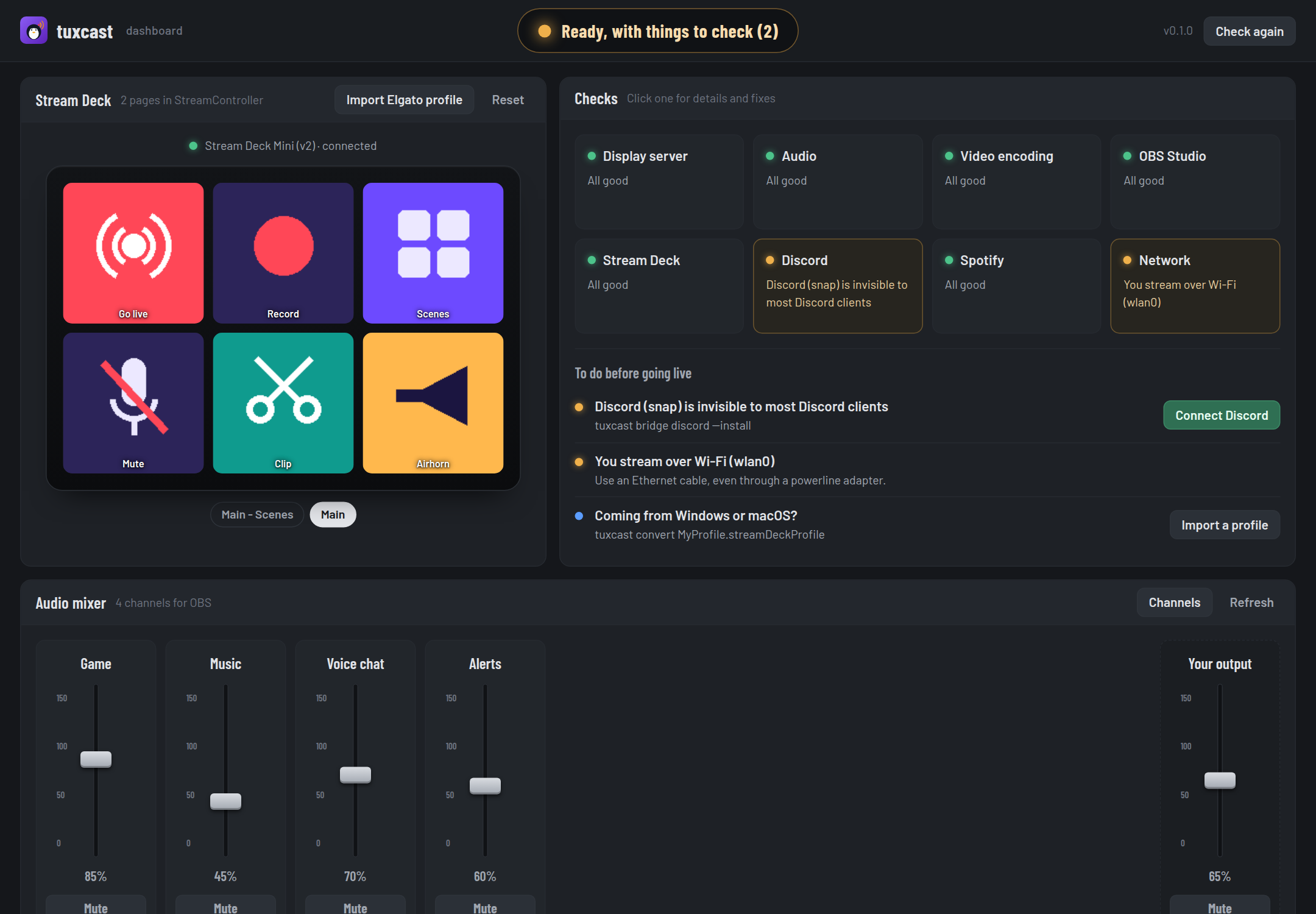
tuxcast ui opens a dashboard on your machine: a tally that says whether you can go
live, your Stream Deck with its real pages, a mixer with a fader per channel, and a button for
every fix tuxcast can apply. Drop your Elgato profile on the deck to preview it before converting.
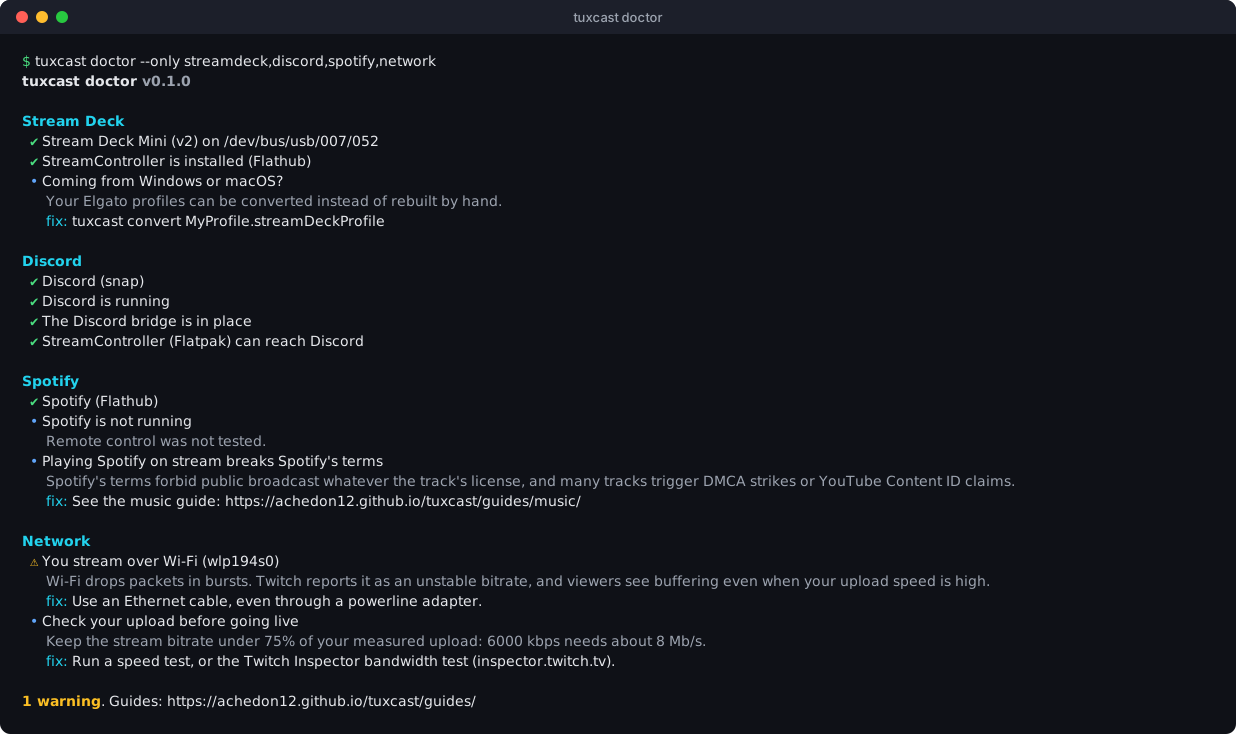
One run tells you what to fix
tuxcast doctor checks eight areas and only reads your system. Every warning says
why it matters on stream and the exact command or setting that fixes it. It exits with an
error when something is broken, so tuxcast doctor && obs only opens OBS on a
healthy setup.
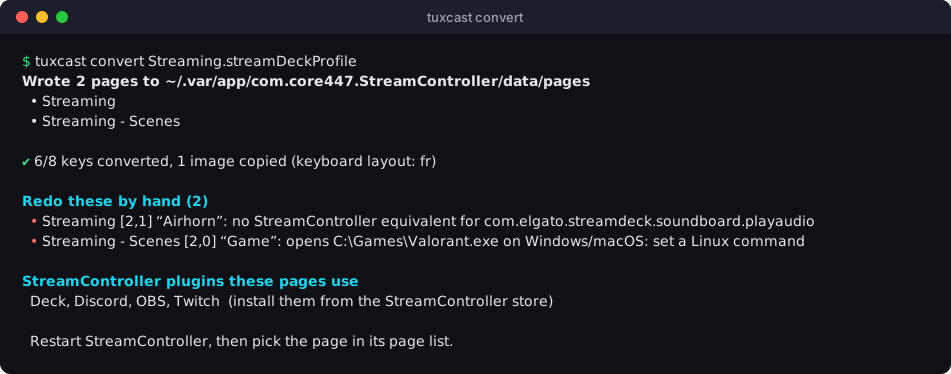
Your Windows Stream Deck profile, on Linux
Export your profile from the Stream Deck app and convert it to StreamController pages. Images, titles, folders and multi actions come along, hotkeys are translated for AZERTY and QWERTZ keyboards, and the report lists the few keys to finish by hand.
Built to be trusted with your setup
- It never needs root. Everything happens in your session. The one privileged step, a udev rule, is printed for you to run.
- It reads before it writes. The doctor changes nothing, and every other command says what it wrote.
- It has no dependencies. Python's standard library only, so it installs in seconds and keeps working.
Run it before your next stream
pipx install tuxcast && tuxcast doctor