tuxcast ui
Everything tuxcast does, on a control desk in your browser.
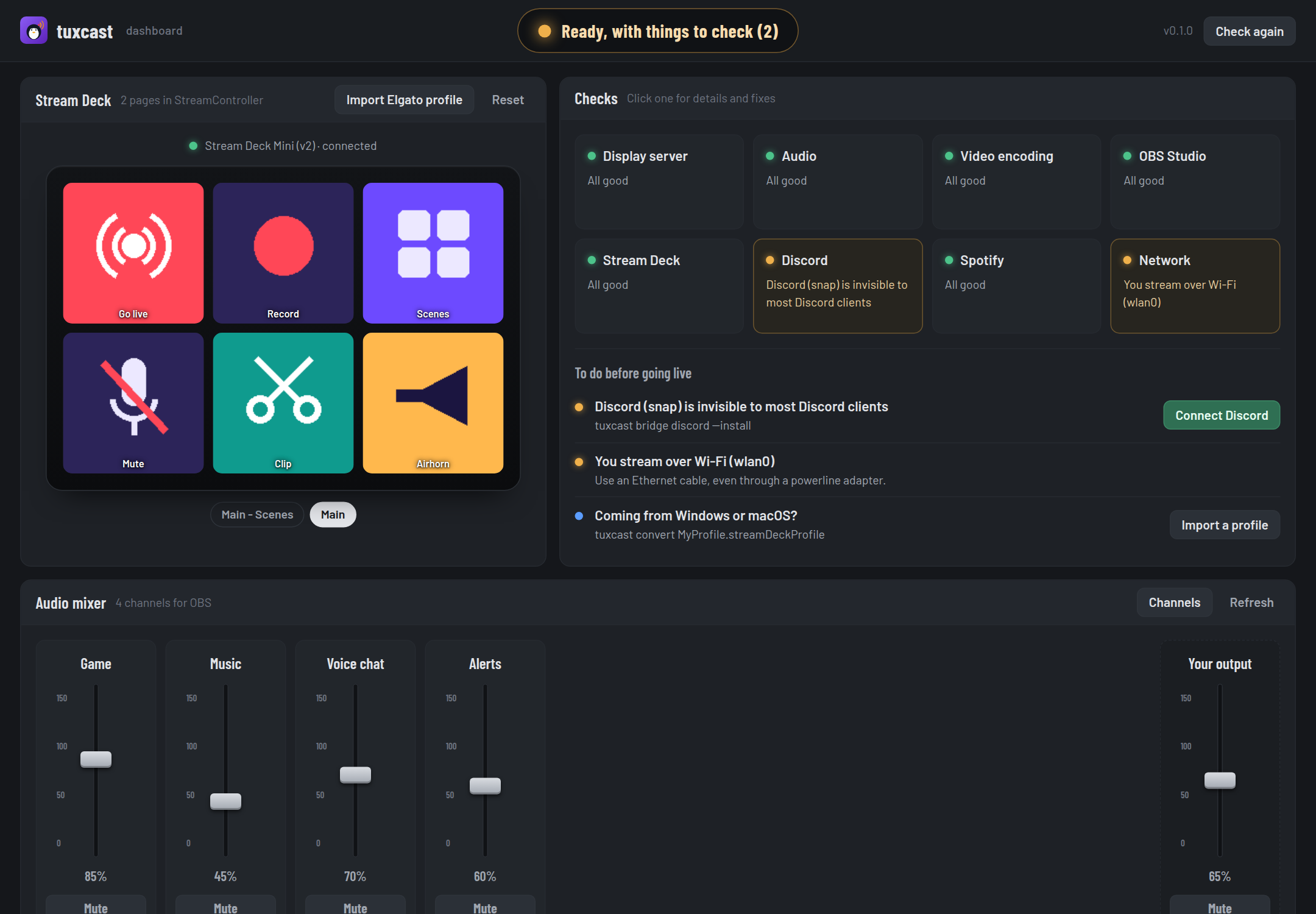
tuxcast dashboard
  http://127.0.0.1:41873/?token=Hk3v…
  Local only: it runs on this machine. Ctrl+C to stop.
Your browser opens on the address. Stop the dashboard with Ctrl+C.
Try it
The website has a live demo: the dashboard itself, with sample data. Connect Discord, create the audio channels and move the faders, drop a profile on the deck. Nothing leaves the page.
The desk
| Module | What it does |
|---|---|
| Tally | The big light at the top: green when you can go live, amber when something deserves a look, red when something is broken |
| Stream Deck | Your deck as it is configured: StreamController's real pages and key images, page by page. Reset a frozen deck, get the permission rule |
| Checks | The doctor's eight areas. Click one for the details and fixes; the list below says what to do before going live, with a button when tuxcast can do it |
| Audio mixer | A channel strip per audio channel: fader, mute, and the apps playing into it. Drag an app onto another channel to move its sound there |
| Discord | Where Discord's socket is, whether StreamController can reach it, and the button that connects them |
| Patches | Your patches, applied or not, and whether they come back after updates |
Importing an Elgato profile
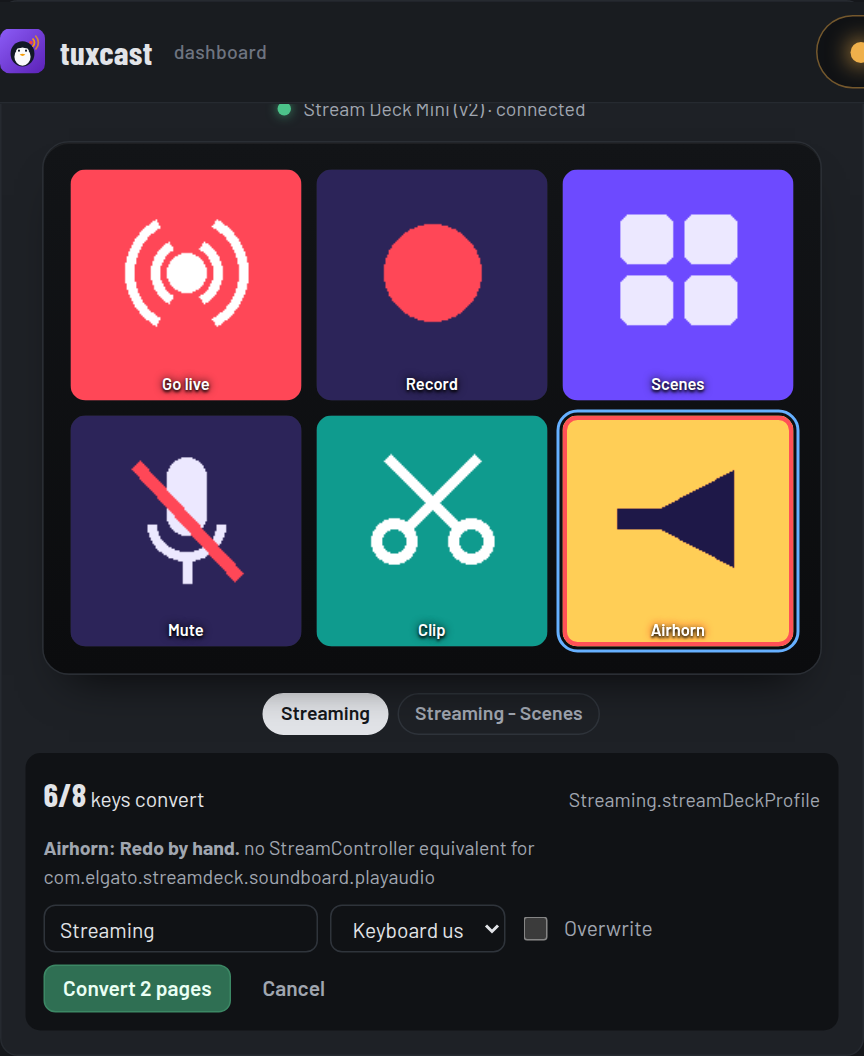
Click Import Elgato profile and drop your .streamDeckProfile on the deck. Every page and folder
appears on the deck as it will in StreamController, with its key images. Keys outlined in amber
convert but deserve a check; keys outlined in red need an action picked by hand. Select a key to see
why. Nothing is written until you click Convert.
The mixer
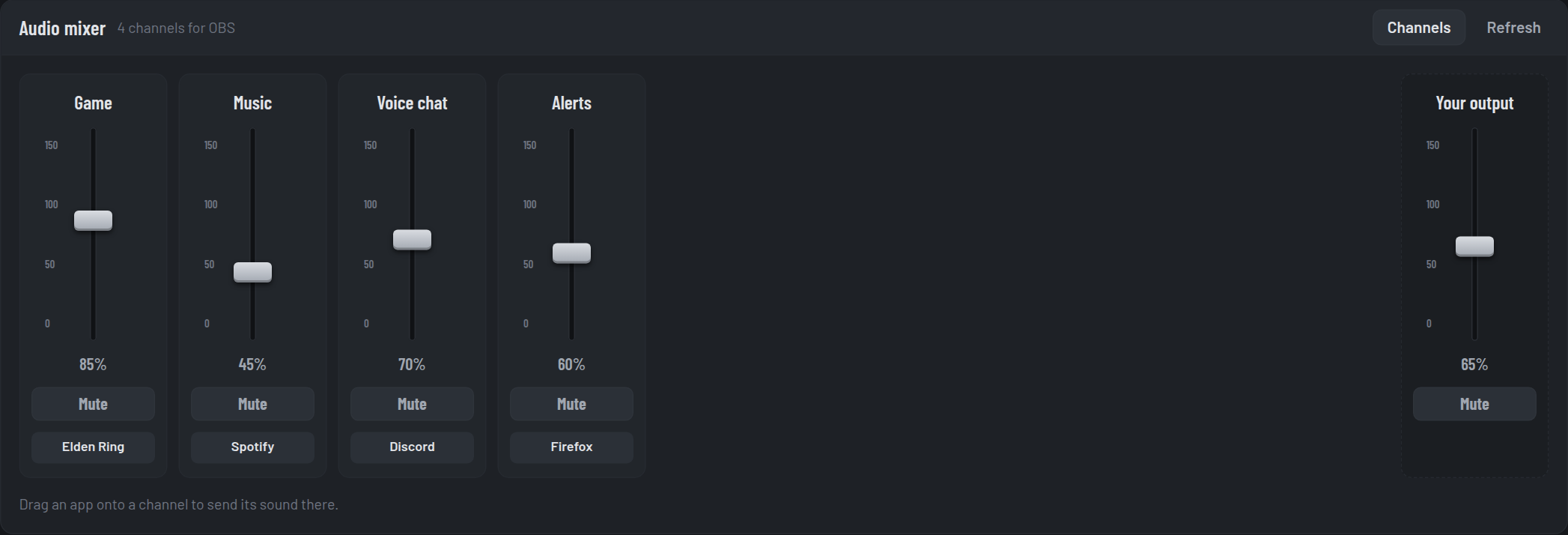
Faders and mute buttons act on PipeWire directly, like pactl would. Your normal output stays on
the right, like a master channel. With no channel yet, the mixer offers to create them.
Options
| Option | |
|---|---|
--port PORT |
Listen on this port (default: a free one) |
--no-browser |
Print the address without opening it |
--layout LAYOUT |
Keyboard layout for converted hotkeys (default: detected) |
Security
The dashboard can change your setup, so it is locked to you:
- it only listens on
127.0.0.1, never on your network; - every request must carry the random token in the printed address, which other websites open in your browser cannot know, and the token is checked before a request body is even read;
- requests whose
HostorOriginis not the dashboard itself are refused, which blocks DNS rebinding and cross-site requests; - its pages forbid inline scripts and outside resources (Content Security Policy), everything read from a profile is shown as text, never as HTML, and only real image files are ever sent as key images.
The token changes every time you start tuxcast ui.